Art
Blog
bookkeeping
books
broadcasting
children
ebooks
Ecommerce
Education
email
entertainment
Facebook
Flickr
games
Google
india
iPhone
laptops
Movies
Music
News
online marketplace
online TV
Opinions
parenting
Photography
Profiles
Publishing
Rentals
reviews
search
self-employed
social network
social networking
Social Networks
SOHO
teachers
Travel
twitter
Video
videography
Videos
Web authoring
website creation
youtube
Samsung Galaxy S4 – A game changer? Should Apple Worry?
The mobile phones industry has been a fast growing and a fast changing industry. New technologies have been introduced in the past 20 years or so that made cellular phones part of our lives in every way. Companies have been moving ups and downs in terms of market share and domination of the cellular phone business. Consumers taste have been changing over the years with the changing in technology. For example mobile phones were decreasing in size, and the smallest phones were the coolest and most expensive but that is not the case now. Who knew that 5-inch smartphones can be popular? Consumers prefer smartphones with big screens to be able to do the many other tasks that are becoming essential and I am not talking about making phone calls. Making phone calls becoming the least used function in the smartphone with many users spend more time surfing the web, checking emails and watching videos.
When the PC maker Dell Inc. introduced the 5-inch screen smartphone known as the Dell Streak it didn’t generate that much attention. The Dell Streak idea was to give consumers a hybrid smartphone, so it could be used both as a phone and also as a tablet because of its big 5-inch screen. Sales didn’t meet expectations and the reason was that consumers didn’t like the idea of carrying a smartphone that size. The Dell Streak was discontinued in 2010.
(Video Courtesy of CNET)
We can reflect back on this fast changing business by looking at those companies who were once on the top and now they struggle to survive. Nokia for example, it was the world’s largest mobile phones manufacturer, well not any more. Nokia has missed on the smartphone revolution and tried to catch up late. It seems that Nokia executives didn’t see it coming for two years. Nokia realized late that cellular phones evolved into something more than just a device to make phone calls, it changed into a device that can do most of the functions that the personal computer does, and that device became known as the smartphone. Of course Nokia is playing catch up, we hope they will succeed.
Research in Motion the Canadian based company and the maker of the BlackBerry enjoyed a period of great success few years before Apple got into the cellular phone business. BlackBerry was once a class of its own when it came to cellular phones. Blackberry introduced many unique and cool features such as secure email and the internet. Apple decided to get into the mobile phone business and introduced the first generation iPhone. Apple promised then to bring the full experience of the internet to the cellular phones and not just a water down version. The smartphone revolution started and the rest is history and apple has iPhone 5 in the market.
Apple became the biggest smartphone seller in the world. People were lining up get the best smartphone in the market. The majority of the other companies started catching up with several products to some degree of success. No one came close to compete with the iPhone with the exception of one smartphone and that was the Galaxy smartphones line made by the Korean based electronic manufacturer Samsung Inc. Samsung electronics introduced several smartphones but its top of the line smartphone the Galaxy became an iPhone competitor. Backed by Google’s Android operating system, the Galaxy line of smartphones gain great popularity with many features that out performed the iPhone. Samsung out performed apple and sold more galaxy devices globally than apple sold iPhones. However Apple still has the Lion share of the smartphones sale in the U.S with 29% compare to Samsung share of 21%. Apple didn’t introduce any major breakthrough in innovation and technology to convince consumers to stick with the pricey iPhone devices since the iPhone 4 was released.
Will the new Samsung Galaxy S4 with enhanced software features help Samsung expand its market share in the U.S? Business analyst believe Samsung will take over Apple spot and become the world’s biggest smartphone seller globally and in the U.S. Apple of course still has an advantage during the holiday season because it sells more smartphones than any other company, thanks to Apple die hard fans who line up to buy the new Apple products. That advantage may not be a great help or long lived if apple doesn’t come up with a smarter smartphone and soon. Apple has to change the iPhone design and come up with a breakthrough in technology and innovation to stay in the lead at least in the U.S market. The stiff competition between Apple and Samsung can also widen the play field as apple may be experimenting with other devices such as the smart watch.
Samsung Galexy S4 Specifications
GENERAL 2G Network GSM 850 / 900 / 1800 / 1900
3G Network HSDPA 850 / 900 / 1900 / 2100
4G Network LTE (market dependent)
SIM Micro-SIM
Status Coming soon. Exp. release 2013, April 26th
BODY Dimensions 136.6 x 69.8 x 7.9 mm (5.38 x 2.75 x 0.31 in)
Weight 130 g (4.59 oz)
DISPLAY Type Super AMOLED capacitive touchscreen, 16M colors
Size 1080 x 1920 pixels, 5.0 inches (~441 ppi pixel density)
Multitouch Yes
Protection Corning Gorilla Glass 3 – TouchWiz UI
SOUND Alert types Vibration; MP3, WAV ringtones
Loudspeaker Yes
3.5mm jack Yes
MEMORY Card slot microSD, up to 64 GB
Internal 16/32/64 GB storage, 2 GB RAM
DATA GPRS Yes
EDGE Yes
Speed HSDPA, 42.2 Mbps; HSUPA, 5.76 Mbps; LTE, Cat3, 50 Mbps UL, 100 Mbps DL
WLAN Wi-Fi 802.11 a/b/g/n/ac, dual-band, DLNA, Wi-Fi Direct, Wi-Fi hotspot
Bluetooth Yes, v4.0 with A2DP, EDR, LE
NFC Yes
Infrared port Yes
USB Yes, microUSB v2.0 (MHL), USB On-the-go, USB Host
CAMERA Primary 13 MP, 4128 x 3096 pixels, autofocus, LED flash
Features Dual Shot, Simultaneous HD video and image recording, geo-tagging, touch focus, face and smile detection, image stabilization, HDR
Video Yes, 1080p@60fps, 1080p@30fps, dual-video rec.
Secondary Yes, 2 MP, 1080p@30fps, dual video call
OS Android OS, v4.2.2 (Jelly Bean)
Chipset Exynos 5 Octa 5410
CPU Quad-core 1.6 GHz Cortex-A15 & quad-core 1.2 GHz Cortex-A7
GPU PowerVR SGX 544MP3
Sensors Accelerometer, gyro, proximity, compass, barometer, temperature, humidity, gesture
Messaging SMS(threaded view), MMS, Email, Push Mail, IM, RSS
Browser HTML5, Adobe Flash
Radio TBD
GPS Yes, with A-GPS support and GLONASS
Java Yes, via Java MIDP emulator
Colors White Frost, Black Mist
Additional Features
– Wireless charging (market dependent)
– S-Voice natural language commands and dictation
– Smart stay, Smart pause, Smart scroll
– Air gestures
– Dropbox (50 GB storage)
– Active noise cancellation with dedicated mic
– TV-out (via MHL A/V link)
– SNS integration
– MP4/DivX/XviD/WMV/H.264/H.263 player
– MP3/WAV/eAAC+/AC3/FLAC player
– Organizer
– Image/video editor
– Document viewer (Word, Excel, PowerPoint, PDF)
– Google Search, Maps, Gmail,
YouTube, Calendar, Google Talk, Picasa
– Voice memo/dial/commands
– Predictive text input (Swype)
BATTERY Li-Ion 2600 mAh battery

Most Popular Apps for Android and iOS
Smartphone Apps are taking web design by storm. Apps are everywhere and there are huge numbers of apps made by developers for the two most popular platforms and those of course Google Android and Apple iOS operating systems. Apps business is becoming a huge market with a share value of 25 billion dollars. Developers compete to publish apps daily. With so many apps offered for free or with a price tag, users face the dilemma of what apps to download that fit their needs without downloading many useless apps that slow down their smartphones and eat up their memory. The list below are examples of the most popular and good apps to have.
Haze
This app is a nice weather app that puts some color in the weather forecast with Haze. It’s a fun weather app with animations and an audiovisual interface that is both simple and addictive.
Price: $.99
iPhone
Cam Me
This app will let you go hands free. With this camera app you you dont need the camera timer on your smartphone. Just wave and smile.
Price: Free
iPhone
Swiftkey
The newest Swiftkey update provides more accurate corrections and better predictions than other keyboard apps. Touchscreen typing is still hard to get to master, some screens faster than others.
Price: $3.99
Android
Winston
This app give users the power to listen without having to read, with Winston users can have their Twitter and Facebook feeds, or areas of the news that interest them, read aloud in a really nice voice. Moreover users can wirelessly connect to Apple TV via AirPlay to watch/listen on a bigger screen.
Price: Free
iOS
Switchcam
The new web app automatically synchronizes footage of an event from multiple cameras and turns it into one tidy interactive video where viewers control the produced feeds.
Price: Free
Any camera. Just upload to the service.
Kickstarter
The crowdfunding platform for creative startups has been around for a few years. What is new is its sleek, simple iPhone app. Now users can search, pledge and track those indie art projects while on the go.
Price: Free
iPhone, iPod Touch
Find. Eat. Drink.
This app give users great tools to find the best places to eat and drink on the go. Recommendations are collected by industry insiders; chefs, bartenders, baristas, butchers, pitmasters.
Price: Free
iPhone, website
Flayvr
This app allows users to take back control of their smartphone’s camera roll. Flavyr instantly organizes photos by date and seamlessly patches video and photos into the same collection. .
Price: Free
iPhone, Android.
Evernote Hello
Evernote’s latest update of their contact-management app offers a business card scanner and the “Hello Connect,” which allows two or more people in a room running the app to wirelessly sync up their contact info. It’s info swapping made easier.
Sunrise
Why go several places if you can achieve your goals with one. Sunrise, a new calendar app built by two ex-Foursquare designers, pulls together your appointments from Google Calendar, Facebook Events and Birthdays and weather outlooks.
Price: Free
iPhone
Vine
This is a Twitter app introduced by Twitter that lets users capture and share short looping videos, it has been a great success. Big brands, news outlets and creative Twitter users have flocked to it. The limitation for producing creative content in six seconds is both the beauty and challenge of Vine.
Price: Free
iPhone
Pixplit
This is a nice twist on the crowded photo-collage app space. with Pixplit useres collaborate in a network where friends create social photos (called Splits) together in a single frame using their mobile phones. Post a photo, slice into a frame and wait for another user to fill out the picture, often from another part of the world.
Price: Free
iPhone
Any.Do
This popular reminder app is a cool tool to support a new feature called Any.Do Moment, it is a quick and fun overview of your day and the things you have on your list in a simple list broken into four sections.
Price: Free
iPhone, Android
Showscoop
This app is for people who like to go to concerts, you’ll want to check out Showscoop.This app gives users a chance to rate live music shows they see and share those ratings with others.
Price: Free
iPhone
Hotel Tonight
This app makes it easy to search for and book hotels at discounted prices up to 70% off if booked by noon. This app has been around for a few years, but they update the app all the time, often adding new cities.
Price: Free
iPhone, Android
CineMama
This is desinged specifically for pregnant women from the March of Dimes. using this app woomen can create a time-lapse video of their pregnancy, and get health tips along the way.
Price: Free
iPhone
Llama
This cool android app switch your phone ringer off for you if you forget to do it by the time you get to work or to a meeting or to a classroom. It’s pure brilliance via automated convenience.
Price: Free
Android
Eventster
Eventster this mobile app helps users discover nightlife, concerts, festivals, sports, theater around you. This app also allows users to search their surroundings based on tastes and interests.
Price: Free
iPhone
BeNaughty – Android App
 BeNaughty.com is a popular Android dating App that has received mixed reviews. Smartphones have been dominating the technology advances in web development and telecommunication for the past five years. Web applications for smartphones are becoming the next big thing as more people using their smartphones to access the internet. BeNaughty is an Android App that is designed to function as a full dating website with many features but with the convenient and the simplicity of a smartphone App. The success of this dating App promote its designers to introduce newer version with newly enhanced features such as free chat rooms that gave it a great boost in the Android market place.

The number of downloads of this App reached over 25000 downloads and counting. The designers of the this dating App learned from customer’s reviews and made more improvements on the user interface to make it easy and fun to search and find singles. The new version received more positive reviews. Members use the advanced App to search the large database for singles using several attributes to find their closest match fast and easy.
Cupid.com
 Cupid.com is one of the most popular dating websites. It has been expanding its market to include many countries and languages world wide. The success of this dating site is in its ability to simplify the dating process. Cupid.com offers members friendly and simple design. Furthermore it give users the ability to interact to find their matches faster.The majority of the other dating sites require members to answer lengthy list of questions and then use their answers to find possible matches in an automated method that proved to be useless and troublesome in many cases.The reason cupid.com became success is that it adapted the human factor as the best way for match making. People find their matches by socializing and interacting with each other not by answering to long questions.
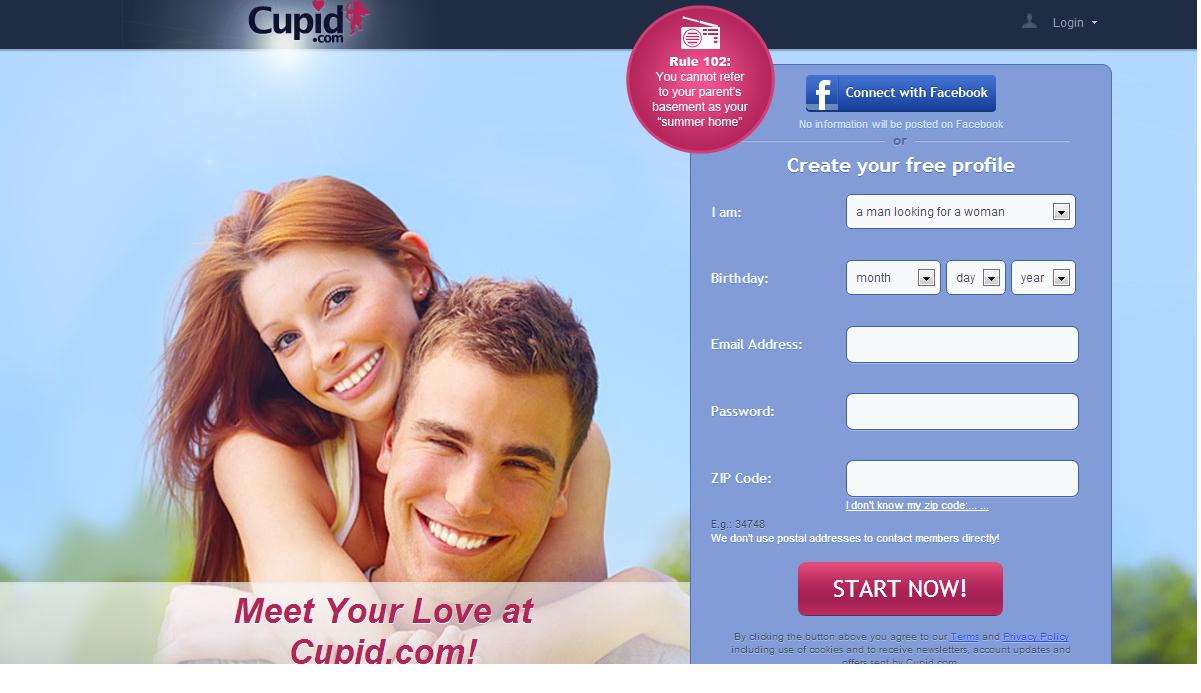
Attractions between people can depend on differences sometimes and not only on similarities. Many members joined cupid.com because it gave them the power to choose the people they are interested in instead of being automatically matched with someone. Cupid.com enables its members to start directly talking and then meeting single men and single women in their areas without having to answer to complicated and long questions that produce little to no results.
Canoodle.com
 Canoodle.com is a new dating website that introduces a new concept in dating. The website uses social media to connect people based on their interests, their likes and dislikes. Social media became a very powerful tool to connect people who share the same interests, values and personal traits. Canoodle uses social media to make dating fast, easy and fun. The website gives users the ability to log in using their Facebook credentials for example. New users can become members and log in using other social media accounts or emails. Once joining canoodle, new members can explore the many built in features that make it easy and fast for them to find their matches. Members can search potential partners from the pool of many who already joined the service and narrow it down to the closest match.
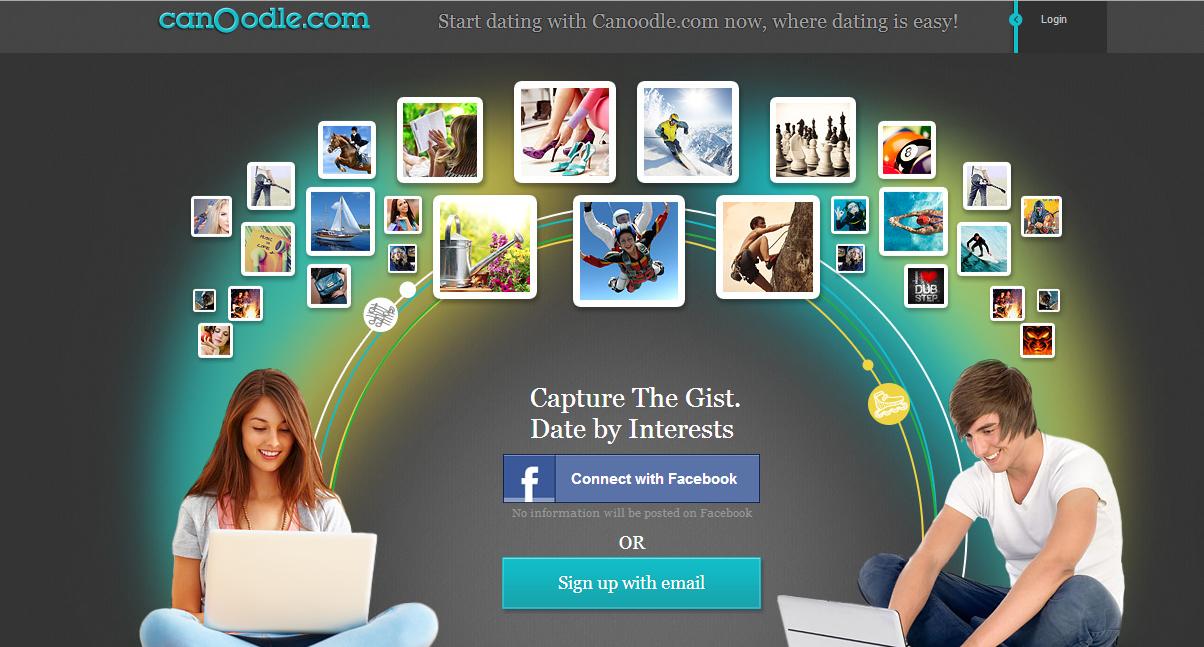
The majority of other dating websites matches people based on their locations and interests taken from their inputs and profiles. The process is not accurate and also time consuming. Canoodle not only uses member’s profiles to connect them, it also save its members time and efforts to find their best matches by using the power of social media to connect potential partners with their closest matches.
Social.me
 Social.me is a startup that put the power of all social media in one location. The idea behind this startup is to enable users to have one profile on social.me that interconnect with all their social media profiles on Facebook, Twitter and so on. Social media became a very powerful tool for any business to succeed. Many businesses rely on social media to connect with their clients and customers. Businesses can create a simple profile on social.me and the website will pull all the information from their pages on Facebook, twitter and the other 34 most popular social media websites.
Instead of having to list all pages on social media websites for clients. One simple profile and one web address on social.me will replace the long list of web addresses on the other social media websites. Many businesses can replace the term “find us on Facebook, Twitter,etc,,” with only the term “find us on social.me”. It is hard to keep track with all login information for each page on social media websites. This startup makes it possible for social media users to have one login profile for all their social media profiles.

This startup gained initial success and the attention of thousands of users because it introduced a nice and a cool idea that made social media experience simple and fun. Founder and entrepreneur Ron Rule is planning to make this startup the hub for the social media revolution on the web.
Why You Need To Invest In Good Company Branding
Entrepreneurs today are focused on making the big bucks, and quickly. Being in such a rush, they tend to forget one of the most important details of a business and marketing campaign: the brand. In order to ensure success for your business, you will need to leave no stone unturned when it comes to investing in good company branding.
Why is it so important? Keep reading to find out.
Consistency
Branding brings consistency, which is good for your customer base. Consistency ensures that your customers return, which will allow your marketing costs to go down when you start hitting sales goals. Investing in and developing a good company brand will allow your customers to know what to expect from you, and also allow them to be able to rely on you. Finding a company with a track record of high quality branding is a must, look at the companies they’ve previously dealt with Guerilla Branding and Turquoise are a couple examples of branding agencies that have dealt with large brands.
Aesthetic Appeal
Branding is marketing in itself, because people will go for what looks good. A major part of branding is developing a consistent aesthetic appeal. You want your business to have a look that the customers will be attracted to. Many people judge books by their covers, and you want to pull them in as well. Developing good company branding will help you do just that.
Memorability
You want customers to remember your company, right? It’s proven that visual cues have a much greater impact on people’s memories than audio cues. This is another reason why you want to invest in good company branding. Your logo, website layout, and anything else that require design really matter if you want people to know who you are.
Higher Price
Branding actually allows you to charge more for your products/services. If people go to a cheap looking website, they will be expecting cheap prices that you’ll be forced to abide by. If they go to a high-quality looking website, that was truly invested in, then they will be more inclined to purchase premium priced products and services. These are four of the reasons it’s better to invest in good company branding. All this involves is investing in a logo, a website layout, and a communications image that your customers can look at and think “quality”. If you can do that, your sales will increase, and your marketing costs will diminish because the customers you achieve will be customers that you’re more likely to keep. You’ll be able to say goodbye to the stress of finding customers, because you’ll be keeping the ones you land.
Vision Helpdesk

Vision Helpdesk.com is a web-based helpdesk software that allows clients to manage and support multiple companies using one platform. The ALL-IN-ONE helpdesk solution to manage various channels.
Vision Helpdesk product has been improved over the past 5 years with the release of the more improved and efficient 3rd version of the helpdesk software. Vision Helpdesk offers everything that any traditional helpdesk software offers like Ticket Management, Client Management, Automation, Self-Help, Custom Reporting etc. Additional to all this, Vision Helpdesk offers some unique features:
1) Satellite Helpdesk
Vision Helpdesk is the web-based helpdesk software that allows clients the unique feature to manage and support multiple companies at one place. With single installation a client can manage any number of companies and each company can have it’s own client portal.
2) Ticket Billing
With Vision Helpdesk you can offer Paid Ticket support like Per Ticket or Per Hour Billing.
3) Blabby
Private Social Hub for staff members to communicate, share knowledge,files, presentations, collaborate on ticket issues. Vision Helpdesk gained initial success and expanded it’s clients base, it is serving over 5000 companies.The ALL-IN-ONE helpdesk solution to manage various channels like E-mail, Web-forms,Twitter, Facebook, Chats and Calls all under single roof.
Ancestry.com

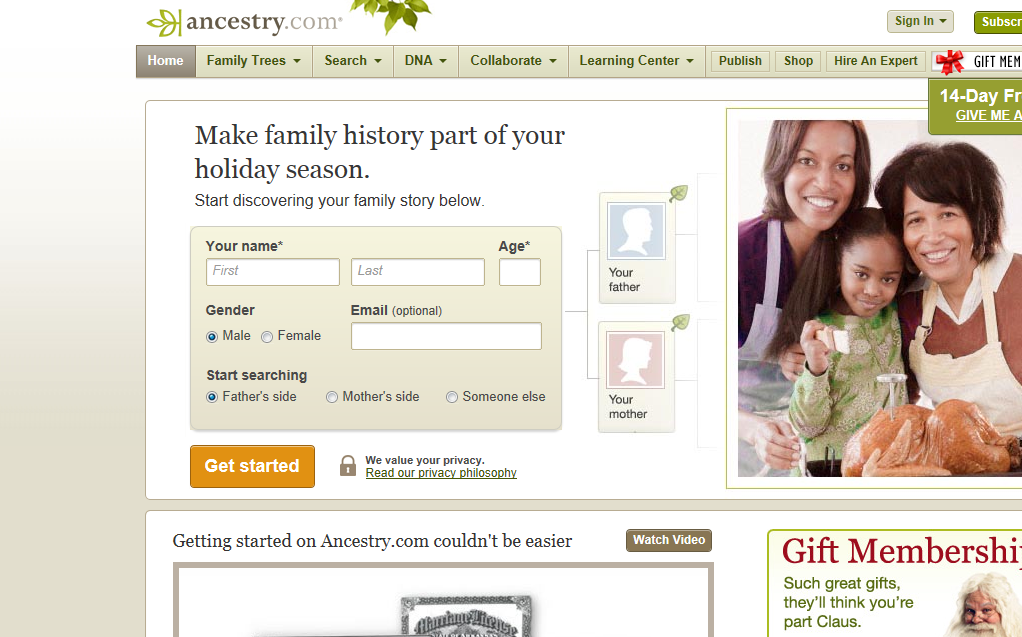
ancestry.com is a great website to track records of family ancestors. This website accumulated a large database of people’s records, names and birth places to make it easy for any one to look up and learn about their roots and where they come from. Enhanced search methods and intelligent data mining software made it possible for users to get the search result fast and accurate. If you like to know where you come from or where your family originally migrated from any part of the world, you can use this site to trace that. Moreover it is a cool service to build a family tree and share it with family and friends. Thanks to the power of the internet, family search has become very fast, easy and fun.
Bucking the Trend: How to Succeed in a Turbulent Marketplace
 There’s a wealth of statistics on the success and failure rates of startups and small businesses. Amongst the range of studies on the subject there’s claims that four out of five startups fail, alongside assertions that a staggering 95% of small businesses cease to trade after five years. It’s hard to decipher the truth behind the stats, even harder to determine the factors that may have contributed to a business’s failure. Almost universally though, the picture painted is that starting and running your own business can prove an unrepentantly difficult task, the odds stacked against you.
Bucking the trend takes savvy, particularly in a bruised and battered global economy, so , to help you on your way, here’s some tips that just might help you stay one step ahead of the competition…
Explore funding options thoroughly
Credit is tight and banks aren’t keen on lending , a recent UK study of 1000 small businesses suggesting that one in ten small firms succeeded in gaining the amount they applied for. Given the extent of the credit crisis, those findings are likely to be mirrored elsewhere.
Thankfully, there’s options other than the banks though, should you be struggling to raise the necessary capital needed to begin trading or fuel expansion.
One such option is the innovative process of crowdfunding, in which a business sells an equity stake to an investor via a crowdfunding website. Elsewhere it’s worth exploring the myriad of government schemes, these often offering favourable interest rates and the like. Both avenues are worth exploring, should raising capital be a struggle.
If funds aren’t forthcoming, consider bootstrapping.
If the banks won’t lend and you’ve exhausted every other avenue of funding, don’t give up hope.
It’s not suitable for every business, as you’ll need either a constant and early revenue stream or considerable personal finances, but if you tick these boxes and you’re struggling to raise capital, bootstrapping may offer an answer. You’ll have to keep an extremely keen eye on your finances and be unrepentantly frugal, but going it alone is possible. Regardless of what the naysayers may say.
Take to the clouds and the appmosphere
Cloud software and the myriad of apps on the iPhone, iPad and Android market offer great value for money and services which make their fee paying equivalents largely redundant. For free, Google Drive provides document, presentation and spreadsheet development to rival Microsoft office, via cloud software. This means you’ll be able to access your important documents anywhere with an internet connection via your Smartphone or laptop. In short, you won’t be so heavily reliant on your desktop and possibly a bit more wealthy.
There’s a wealth of apps meanwhile that can help you run your business on the go, apps such as mPowa allowing you to take credit or debit cards whilst you’re out and about , meaning that you need never miss a potential sales opportunity again.
Remember, cash flow is king
There’s a range of reasons why small businesses may fail , amongst the most common being poor cash flow. Potential revenue flowing in one or two months down the line is no good if you’ve got a mass of outgoings coming out sooner and if you’re not on top of all the financial rigmarole then you could rapidly find yourself in the red.
Keep a keen eye on balance sheets and stick to short, stringent payment terms whilst forecasting wisely. This should you maintain healthy looking numbers in your accounts.
Succeeding as a small business or starting up in the midst of an economic crisis isn’t the easiest of tasks, but through a bit of frugality, accounting nous and investment savvy, it is possible to upset the odds.
Author bio: Mark James is a Writer for Crunch, one of the UK’s leading limited company accountants. He specialises in small business.


Socially!